
Google Maps Optimization Guide | Septic & Excavation Businesses
The Fundamentals of Google Maps Ranking (NAP, Citations, Consistency and Reviews)
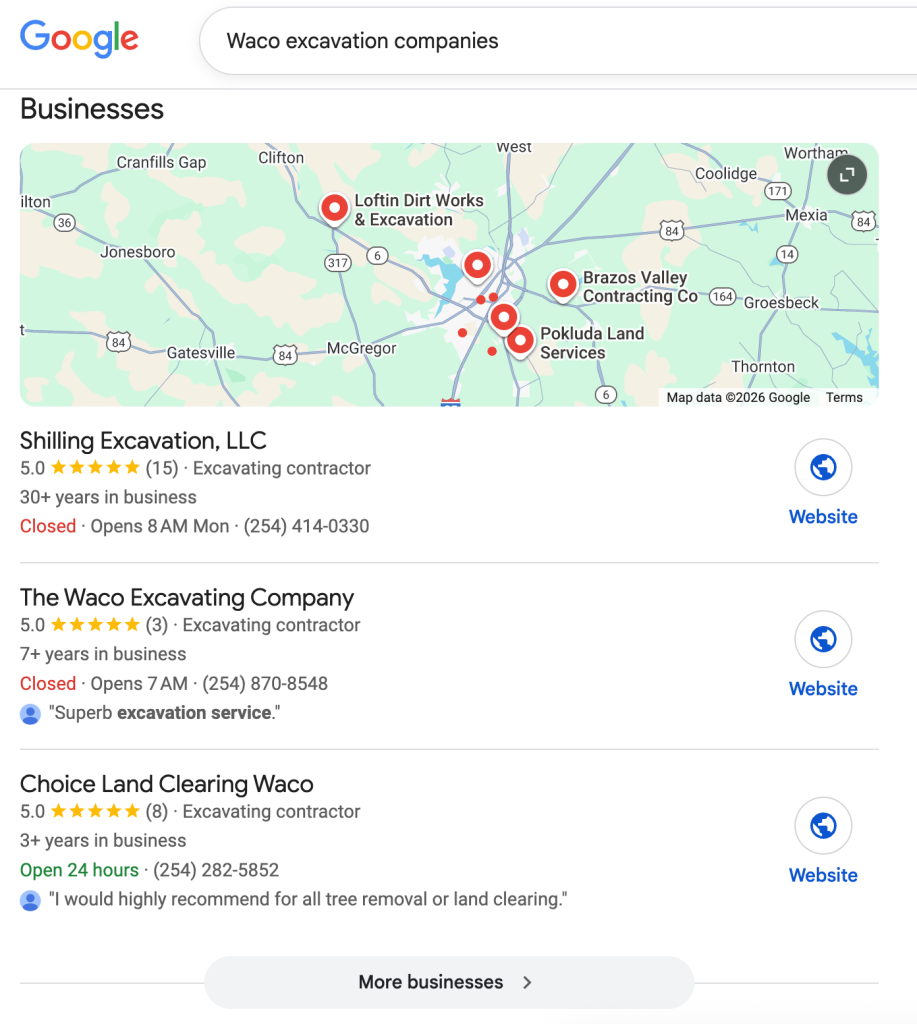
Getting listed on the first page of the Google Map for “Your City + Service” comes down to five primary factors:
- Having a claimed and verified Google Map Listing
- Having an optimized Google Business Profile for the area you operate in
- Having a consistent N.A.P. (Name, Address, Phone Number Profile) across the web so that Google feels confident that you are a legitimate organization located in the place you have listed and serving the market you claim to serve
- Having reviews from your customers in your service area (more than the competition)
- Proper on-site SEO optimization
If you have each of these five factors working in your favor you will significantly improve the probability of ranking on page one of Google Maps in your market.
How to establish a strong name, address, phone number profile
- Having a consistent name, address, and phone number profile across the web is essential for ranking well on the Google Map in your area. Google sees it as a signal of authority. Rather than jumping directly into claiming your Google Map listing and citation-building, it’s critical that you nail down your true name, address, and phone number so that you can ensure that it is referenced consistently across the web. You want to be certain that you are always referencing the legitimate name for your business and that it’s the exact same name everywhere on the internet. If your company’s name is “Big Lee’s Contracting & Excavating”, you must always list it as such, as opposed to just “Big Lee’s Excavating.” It’s best to use your legal business name or DBA name (Doing Business As). If you have an LLC in your legal business name, you can choose to include it, or leave it out, either way is fine, as long as you are consistent. You may read information suggesting that you add a keyword to your name. For example, if your name is “Big Lee’s Excavating,” someone might tell you it would be really smart if you just added to the title of your company “Big Lee’s Dallas Excavating,” for instance. While that may have worked back in the day, it’s no longer an effective strategy. It’s actually a violation of Google Places’ policies and procedures. Make sure you list your exact company name the same way across the board on all your directory sources. Also make sure that you use the same phone number in all those places. I’m a big advocate for tracking phone numbers and knowing the results your marketing is creating. You can still use these effectively on your website because of the way Google crawls the code of your website. And on your Google Business Profile you can list your tracking number as primary, and your original numbers as secondary with no negative effects on your SEO. But, when it comes to your online directory listings, you want to use your primary business phone number that you’ve been using from the beginning. Don’t try to create some unique number for each one of your directories. What that does is confuse your name/address profile. It will hurt you. Use your primary phone number in all those places, use your exact company name, and use your principal address, written the same way. If your business is located at “1367 South West 87th Street, Suite Number 105, ″ make sure you list it just like that every single time. Don’t neglect to include the suite in one place and then put it on in another. Don’t spell out “South West” in one place and put “SW” in the other. We are driving for a consistent name/address profile across the web.A good way to figure out what Google considers to be your name, address, and phone number is to run a search on Google for “Your Company” and see what is being referenced on the Google Map. See how that compares to the other high authority sites like YP.com, Yelp.com, Angi’s List and others. Look for the predominant combination of name, address, and phone and reference that for all your directory work going forward. When we run complete audits for our clients, we have yet to find a business with a consistent name, address, and phone number across the internet.
How to Properly Claim and Optimize Your Google Business Profile Listing
Below you will find a step-by-step guide for checking, claiming and managing your Google Business Profile, more commonly called Google Map Listing.
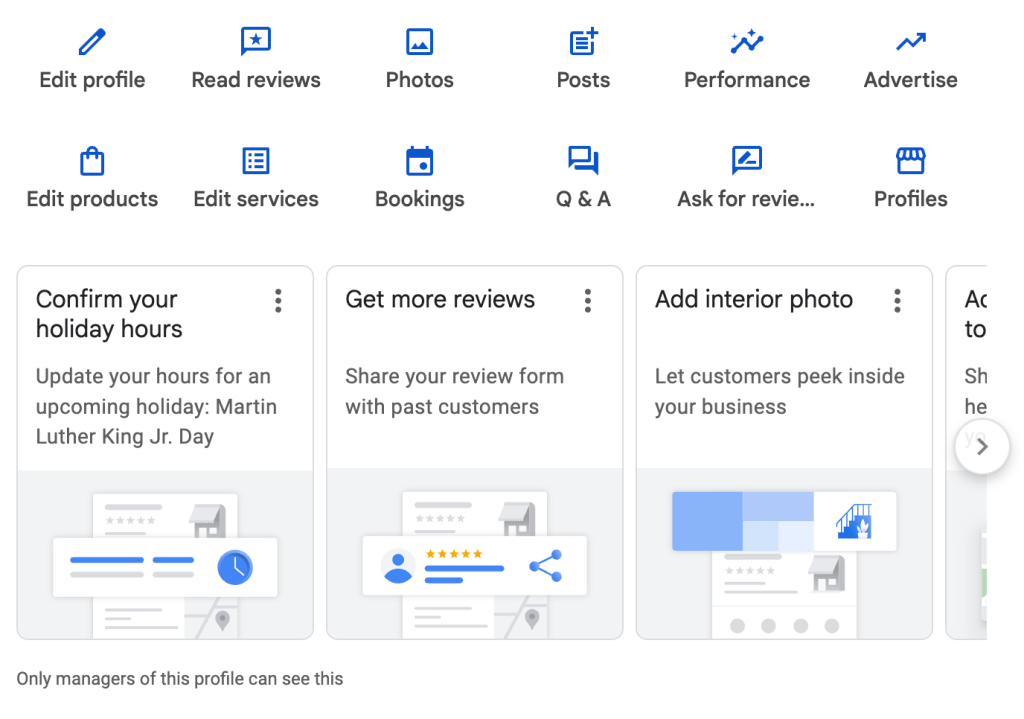
Before starting a new Google Business Profile, check if you already have one and have access to it. You’ll need to log in to your main Google account or Gmail with the email that has access to the Google Business Profile. Then you can try either running a Google search for your business, and see if your profile comes up with the backend dashboard which look like this:
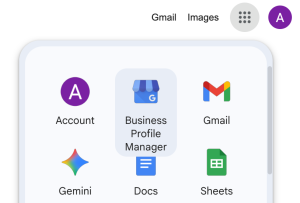
Or you can follow the nine dot navigation in the upper right hand corner of your Google account and check to see if you have a listing in your Business Profile Manager.
I’ve worked with many clients who do have a Google Business Profile, but can’t remember how to access it. You may have to try several different Google or Gmail accounts before finding the correct one. If you’re unsure, it’s also helpful to Google your business to see if it has Google Business Profile.
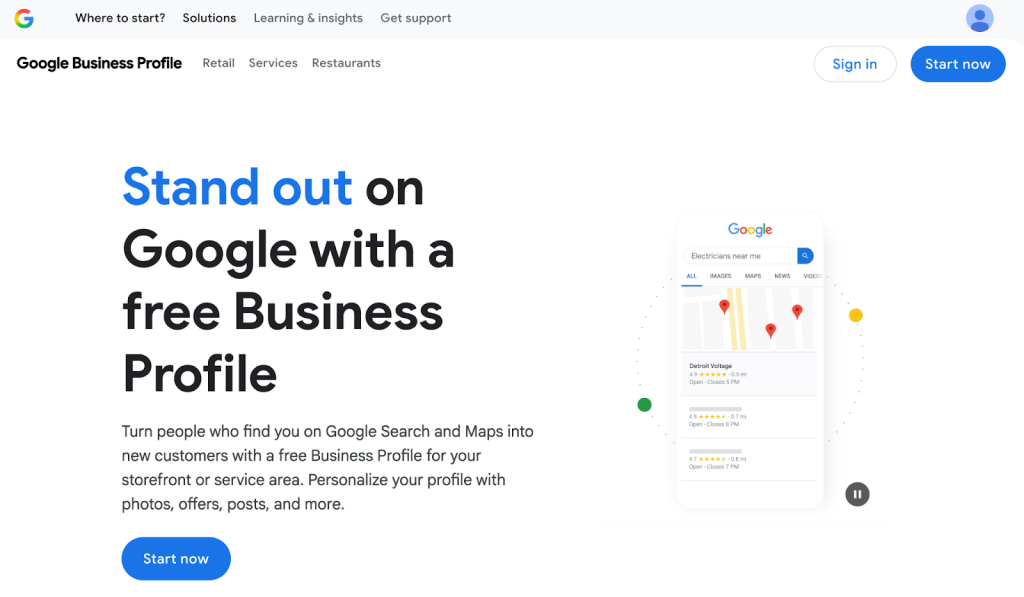
If you are certain your business has never had a business profile, you can follow these steps to get one set up.
- Go to https://business.google.com/us/business-profile/
- Create an Account and claim your business
- Enter your business address and all pertinent information. If you are a service area business without a physical location, you’ll enter your home address and choose service area business so your address will not be displayed publicly.
- Typically your Google Business profile will require verification by video. Some businesses can get really stuck on this step. To complete the video, follow these steps:
Log in to your Google account on your phone, and search your business till you find your Google Business Profile Manager account. You should see a notification complete a video verification. Tap that notification to get the video started. Your video:
- Does not need to include your face or you talking.
- Needs to be in one continuous take between 1 to 3 minutes in length.
- Should begin by showing the street sign and/or building address of your home if you are a service area business, or your shop or office. This address needs to exactly match what you entered when you set up your Google Business Profile.
- If you have no address to show, you’ll need to purchase address numbers and attach to the side of the building
- You’ll need to show some signage that matches exactly the business name you listed when you set up your profile. This can be a yard sign, window cling, banner, or other signage.
- Next you’ll need to show that you are an authorized representative of the business by unlocking a work truck with signage and showing your tools inside and/or unlocking the front door, going inside, and showing the tools of your trade.
- Tools of your trade can be actual tools, or even your computer open with a business software with your same business name listed, like Quickbooks or Jobber.
- Finally you’ll need to show some paperwork with both the address and business name you listed when you set up your profile. This can be a business card, an invoice, or a utility bill.
We’ve yet to have a business where we can’t get verified when they follow these specific steps exactly. If you have followed all these steps and are still unable to get your Google Business Profile verified, follow the steps to Google support and request a live Google Meet verification.
Optimize your Google Business Profile Listing
You’ll manage your business listing from your Google Business Profile Dashboard.
Here’s where you’ll make changes to your company information, create updates, add photos, and track your customer interactions and Google Business Profile performance.
There are a number of Best Practices you need to be aware of to properly optimize your Google Business Profile.
- Photos – Real photos of your business, job sites, workers, equipment, and logo make a big impact on your rankings. Before uploading for our clients, our Groundbreaker AI always renames the photos to describe the picture and naturally incorporate keywords into the titles as well as adding geo-tagging for the target cities we are working on improving rankings in. Videos are also excellent to add to the profile.
- Updates – In your Google Business Profile dashboard, you can post updates similarly to how you would post on social media. You can include a renamed and geo-tagged photo, an informative mini article with natural keywords, and a link to your website to learn more. At Groundbreaker, we do this every 3 days with our AI software for maximum results for our clients. This cadence of content is one of the most powerful ways to increase your ranking.
- Categories and Services – It’s better to choose one main category, and one to three services for your business, rather than stuff your categories and services with everything possible. In our testing, we’ve found that this works best to show up for your highest priority keywords.
- Products – If you want to add every service you offer, do so in the products category. This is a great place to link back to the individual service pages on your website. You don’t need to include prices here, just photos, descriptions, and links to your website service pages is perfect.
- Social Media – If you have social media accounts (and you should, even if they are not used regularly, they are still helpful to show Google you’re legitimate), connect them to your Google Business Profile.
How to Develop Authority for your Google Business Profile via Citation Development
Now that you have claimed your Google Business Profile listing and optimized it to its fullest, you need to build authority.
Having a well-optimized local listing doesn’t automatically rank you on page one. Google wants to list the most legitimate and qualified providers first. So, how do they figure out who gets the page one listings?
One determining factor is how widely the company is referenced on various online directory sites such as Yellow Pages, City Search, Yelp and others.
Citations are web references to your company name, address and phone number. You can add citations in a variety of ways. Our Groundbreaker AI software automatically claims and updates the top 50 most important citations and updates our clients information whenever changes are made to the NAP on the Google Business Profile.
By securing these high-quality citations you will boost your authority and highly improve your ranking as one of the top three Google Business Profiles. The next critical step is to get online reviews!
How to Get Real Reviews from your Real Customers in your True Service Area
The next critical component for getting your Google Business Profile ranked is increasing your reviews. You need to have real reviews from your real customers in your true service area.
Keep it Real
First, I want to point out that you shouldn’t fill the system with fake or fraudulent reviews. You do not want to create bogus accounts and post reviews to Google Maps, Yelp, City Search, etc. just for the sake of saying you’ve got reviews. That’s not going to help you and in fact can get your account banned. You need real reviews from your actual customers or personal references in your true service area.
You might be thinking “Well, how is that important?” or “How would Google know the difference?” Google is paying very close attention to the reviewer’s profile.
It is important to have an authentic strategy where you are connecting with real people who will write your reviews. You don’t want to try and play the system. Google, Yelp and the other popular online review sites are fully aware.
Getting Reviews
Here’s the strategy that we advocate and have used successfully with our clients.
Step one is to have some review cards printed up. It’s a simple business card with your company logo, information, and a QR code to scan that directs customers to leave a review right on your Google Business, or to a reviews page on your website where they can leave reviews on multiple sites.

You can also include a note on the card that says something like “Thanks so much for your business. We appreciate the opportunity to serve you. We’d love it if you would write us a review.”
Include a page on your website that is clearly meant for reviews: yourcompany.com/reviews. On that page you’ll have links to the various places where people can write your reviews. You’ll want to have a link to your Google Business Profile, Yelp listing, and Facebook Page.
When customers include your service keywords in their reviews like “septic installation” “excavation services” or “land clearing” it will be very helpful for your rankings. But it can be awkward to ask your customers to include keywords, so we’ve created an AI helper to make this simple.
We send out review cards to our clients with a tap to phone feature that brings up their Google Reviews page on our AI software. With this reviews page, it will prompt the customer with what they liked about the service, use those prompts to write a sample review with naturally included keywords. They can then leave that review on your Google Profile. If they want to leave a negative review, it will prompt them to send you a message instead, which helps you address customer concerns without the negative reviews impacting you.
Now Let’s Get Back to the Strategy
Phase one, print out review cards. Have your operators hand them out after a service. “Hey, thanks for your business. I just want to leave this with you. If you’d be willing to write us a review and share your experience, we would really appreciate it.”
It’s great. You’re showing appreciation. And you’re holding yourself accountable because you’re asking for feedback. By doing that on a consistent basis, you are likely to catch some fish.
The next thing you’ll want to do, just to get a nice little bump in the number of reviews that you have, is to develop an email list of your circle of influence.
Your circle of influence is going to be your most recent customers, the customers that have been using your services for quite some time, your family members, and your friends. People that you know, like, and trust, who would be willing to act on your behalf.
Put together that email list in an Excel sheet and send out your link with a message like:
*I wanted to shoot you a quick email to thank you for your business and let you know how much we appreciate the opportunity to serve you! ** ** **Our goal is to provide 100% customer satisfaction and exceed your expectations every step of the way. I certainly hope that we did just that! *
If so, it would really help us out if you’d be willing to post a review for us online at one of your favorite online review sites. Below is a link where you could write a public review about your experience with us: (insert link)
If you’re not using our software, you can find your customized review link in the manger view of your verified Google Business Profile account.
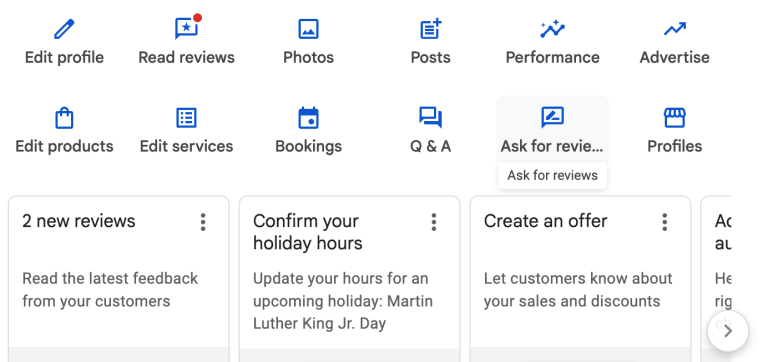
Google doesn’t just care about you having a certain number of reviews, it cares about your review count in comparison to your competitors and the frequency of those reviews. If you have less reviews than a competitor, but you are getting those consistently and they haven’t had a new review in months or years, it can help you rank higher.
If you follow these steps to properly claim your Google Map listing, develop your authority via citation development, post regular updates, and put a systematic process in place to get real reviews from your real customers in your true service area, you will be well on your way to dominating the Google Map listings in your market.
Last updated:
Want your phone ringing like the operators in these interviews?
We run Local Service Ads, Google Ads, Google Business Profile and websites for septic and home-service contractors — with every lead tracked.